Making Tax Digital for Income Tax starts on 6 April 2026 for sole traders and landlords whose qualifying income was over £50,000, on 6 April 2027 over £30,000, and on 6 April 2028 over £20,000. It means digital records plus quarterly updates due 7 August, 7 November, 7 February and 7 May. Qualifying income is gross, before expenses.
Every figure on this page was checked against HMRC’s own guidance on gov.uk on 4 September 2026. Thresholds and rules move; check gov.uk or an accountant for your own position before acting on any of it.
The dates and the thresholds
| From | Qualifying income above | Measured on the tax year |
|---|---|---|
| 6 April 2026 | £50,000 | 2024 to 2025 |
| 6 April 2027 | £30,000 | 2025 to 2026 |
| 6 April 2028 | £20,000 | 2026 to 2027 |
HMRC’s own line: “From 6 April 2026, sole traders and landlords must use it if their annual income from self-employment and property is over £50,000.”
Two dates worth writing down beyond the ones in the table. From September 2026 HMRC starts signing people up automatically for the 2026 to 2027 tax year, based on the qualifying income on their previous return — so for a lot of teachers the first notice will be a letter rather than a decision. And the threshold is measured on a tax year that has already happened, which means you can work out today whether you are in.
The bit most teachers get wrong
Qualifying income is gross, before expenses.
This is the single most misunderstood part of MTD for anyone self-employed, and it catches teaching studios especially hard because teaching has real costs — room hire, travel, insurance, instruments, software.
A teacher who bills £55,000 of lesson fees and has £15,000 of costs has a profit of £40,000. Their qualifying income is £55,000. They are in from 6 April 2026, even though the number on the bottom of their tax return says £40,000.
Add any property income to the same total: qualifying income is self-employment and property, combined. Foreign income is excluded from the assessment.
Who it applies to
HMRC’s eligibility criteria, all of which must be true:
- You are a sole trader or landlord registered for Self Assessment
- You have income from self-employment and/or property
- Your qualifying income is more than the relevant threshold for the tax year
- You have submitted a tax return within the previous 2 years
There are exemptions, and HMRC gives being digitally excluded as an example. Exemption is something you apply for, not something you decide you have.
What actually changes
Two things, on top of what you already do.
1. Digital records
Your business income and expenses have to be kept digitally, in software that can talk to HMRC. For a music studio that means every lesson fee, every payment, and every claimable cost recorded as it happens rather than reconstructed from a shoebox in January.
If you already invoice from software and it exports properly, most of this is already true.
2. Quarterly updates
Four submissions a year. On the standard tax-year alignment:
| Period | Deadline |
|---|---|
| 6 April to 5 July | 7 August |
| 6 April to 5 October | 7 November |
| 6 April to 5 January | 7 February |
| 6 April to 5 April | 7 May (following tax year) |
There is a calendar alignment option (1 April to 31 March quarters) with the same four deadlines, which suits anyone whose bookkeeping already runs on calendar months.
Four things about the updates that surprise people:
- They are cumulative. Each one covers the whole period from the start of the tax year to the end of that quarter, not just the three months.
- They carry totals per income and expense category, not documents. HMRC’s guidance is explicit that it “will not receive details of individual digital records, such as a receipt or invoice”.
- One has to be sent even if nothing happened in the period. A summer quarter with no teaching still needs a submission.
- You can submit any time from the end of the period to the deadline, or up to 10 days before the period ends if you know there are no further transactions.
You still file a tax return. The quarterly updates do not replace it; they sit in front of it.
The penalties
Two separate systems.
Late submission is points-based. One point per missed deadline. “The penalty point threshold is 4 points. If you reach this, you’ll get a £200 penalty [and] £200 penalty each time you miss another submission deadline.” Points below the threshold are removed automatically 24 months after the missed deadline. Once you are at 4, clearing them takes both twelve months of on-time submissions and clearing any outstanding submissions from the previous 24 months.
Late payment is percentage-based, and rises the year after:
- 2026 to 2027: nothing up to day 15; 3% of the tax owed at day 15 if you are 16 to 30 days late; if 31 days or more, 3% at day 15 plus a further 3% at day 30, plus 10% annual interest charged daily.
- 2027 to 2028: the same shape at 4%.
In the first year of the new penalties you get 30 days from the due date to pay or agree a payment plan before penalties apply; after that it is 15.
What a music teacher should do about it now
- Work out your qualifying income for 2024/25 — gross, before expenses. It is on the return you have already filed. If it is over £50,000 you are in on 6 April 2026 and you have this term to prepare.
- Move income recording into one place. The thing that makes MTD painful is not the quarterly submission; it is four sources of income that have never agreed with each other. One system that records the lesson, the invoice and the payment against each other removes most of the work.
- Log expenses and mileage as they happen. 45p a mile for the first 10,000 business miles and 25p after — but only with a log: date, from, to, miles, purpose.
- Talk to your accountant before April, not in January. Agents have their own MTD process and would rather set it up in a quiet month.
- Check your software will actually submit. Not everything that keeps digital records can file a quarterly update; HMRC publishes a list of compatible software.
What LessonLoop does and does not do
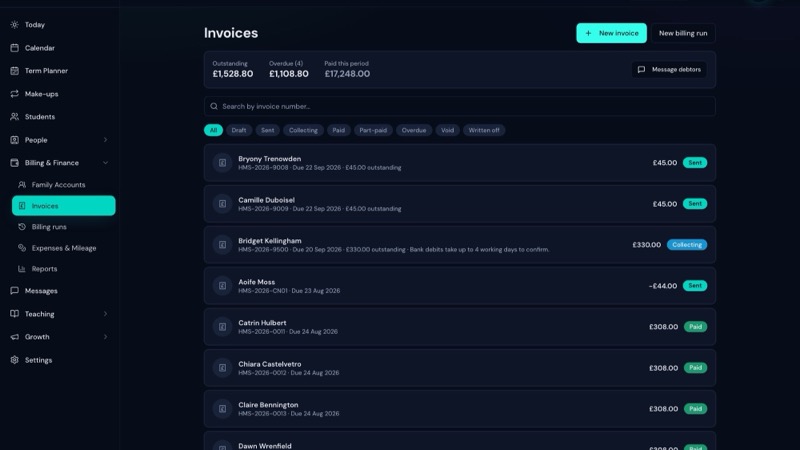
Does: keeps every lesson, invoice, payment, credit, refund and write-off against each other, so an income figure is traceable to the teaching that produced it. Records expenses and mileage against the UK tax year. Reports revenue, outstanding, expenses, mileage and P&L by week, month, term or a custom range, with CSV out. Syncs invoices and payments one-way into Xero, so your accountant reads clean data without you exporting anything.
Does not: file your quarterly updates. LessonLoop is not HMRC-recognised MTD filing software and does not claim to be. It is the studio system your bookkeeping reads from — the difference between having the numbers and hunting for them.
Music teacher software is £15 a month with unlimited pupils; the trial is 30 days with no card.
Sources
All checked on 4 September 2026:
- HMRC, check if you’re eligible for Making Tax Digital for Income Tax — thresholds, dates and eligibility criteria
- HMRC, Making Tax Digital for Income Tax collection — the 6 April 2026 start and September 2026 sign-up
- HMRC, use Making Tax Digital for Income Tax: send quarterly updates — periods, deadlines and what an update contains
- HMRC, penalties for Making Tax Digital for Income Tax — the points threshold and the late-payment percentages
This page has a review date of April 2027, because the £30,000 threshold arrives then. If a figure here has moved before that, tell us and we will correct it and re-date the page.
Related reading
- Self Assessment for music teachers — expenses, deadlines and what to set aside
- Record keeping for UK music teachers — what to keep and for how long
- The business side of teaching music — the whole guide